NOVEMBER 10, 2025
Building a local Kubernetes cluster and provisioning DevOps services with Terraform
How to build a local k3d cluster that hosts GitLab, Rancher, ArgoCD, and LocalStack — fully provisioned with Terraform for cross-OS reproducibility, with a complete CI/CD flow disposable in one terraform destroy.
Motivation
In the last months I’ve worked on several projects involving Machine Learning and DevOps. Two of them — a recommendation system for job positions and a Speech-To-Speech system (STT/ASR + TTS) — plus a personal Real-Time Machine Learning project running in my free time made me feel the same friction over and over: I needed a local Kubernetes cluster with real-time updates before pushing repos to production.
So I started using k3d and Skaffold locally, and then went further and rebuilt a complete local Kubernetes stack with Rancher, ArgoCD, GitLab, and LocalStack — all installed declaratively so it would survive an OS switch.
Initially I scripted the installs as .sh files (into bash/). That works on Linux
but breaks on Windows. So I dove into Terraform. After understanding the basics
(providers, resources, variables, outputs, the
terraform init / plan / apply / destroy lifecycle), I rebuilt the same stack as an
OS-agnostic Terraform module — files in terraform/. No more translating .sh to
.bat; the abstraction layer guarantees reproducibility on Linux, Windows, and
macOS.
Heads up: plan for at least 16 GB of RAM. My local k3d cluster with the full stack (GitLab + Rancher + ArgoCD + LocalStack) was pulling ~10 GB, mostly GitLab. You can disable GitLab components you don’t need via
values.yamlto slim it down.
Architecture
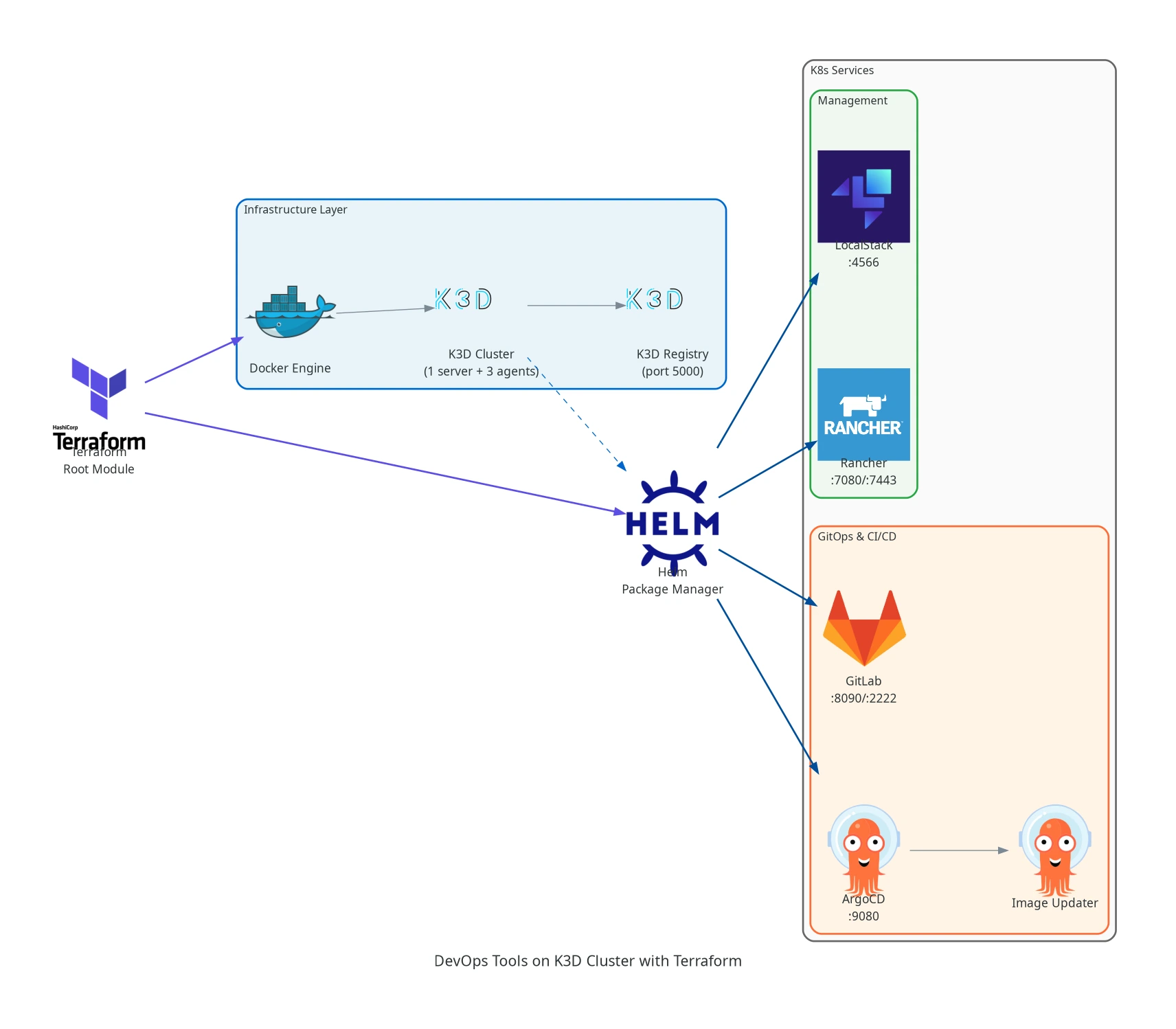
Terraform sits at the root, provisions the Docker / k3d infrastructure layer, then hands off to Helm to install the management (LocalStack, Rancher) and GitOps + CI/CD (GitLab, ArgoCD + Image Updater) service groups. Single command provisions everything; single command tears it down.
DevOps stack
| Component | Role |
|---|---|
| k3d cluster | 1 server + 3 agents with a local Docker registry |
| ArgoCD | GitOps continuous delivery |
| ArgoCD Image Updater | Auto-bumps image tags in Git when new container versions land |
| GitLab | Complete DevOps platform with CI/CD |
| Rancher | Kubernetes management UI for cluster observability |
| LocalStack | AWS service emulator for local development |
Hardware footprint
| Component | Specification |
|---|---|
| RAM | 64 GB |
| CPU | 8 cores (modern x86_64) |
| Storage | 2 TB NVMe SSD |
Minimum: 16 GB RAM if you trim GitLab via
values.yaml. 32 GB recommended for the full stack without OOM pressure.
Installation requirements
Installation steps
1. Clone the repo
git clone https://github.com/rafaelcoelho1409/K3D2. Enter the Terraform folder
cd K3D/terraform3. Initialize Terraform
terraform init4. Create the k3d cluster
Provision the cluster first to avoid connectivity issues during the rest of the apply:
terraform apply -target=module.k3d_cluster5. Deploy all services
terraform applyWarning: several minutes. Make sure RAM headroom is healthy before this.
6. Access the services
| Service | URL |
|---|---|
| Rancher | http://localhost:7443 |
| GitLab | http://localhost:8090 |
| ArgoCD | http://localhost:9080 |
| LocalStack | http://localhost:4566 |
| k3d Registry | http://localhost:5000 |
7. Retrieve credentials
Rancher — username root, password:
kubectl get secret gitlab-gitlab-initial-root-password -n ${NAMESPACE} \
  -o jsonpath='{.data.password}' 2>/dev/null | base64 -d \
  || echo "(not ready yet, check in a few minutes)"
ArgoCD — username admin, password:
kubectl -n argocd get secret argocd-initial-admin-secret \
  -o jsonpath="{.data.password}" | base64 -d
Results
I connected my Real-Time Machine Learning project to this stack, so:
- Push the repo to local GitLab
- GitLab CI builds Docker images and pushes them to the k3d Registry
- ArgoCD Image Updater detects new images on the registry and triggers ArgoCD
- ArgoCD applies the Helm charts to the cluster and monitors resource health in real time
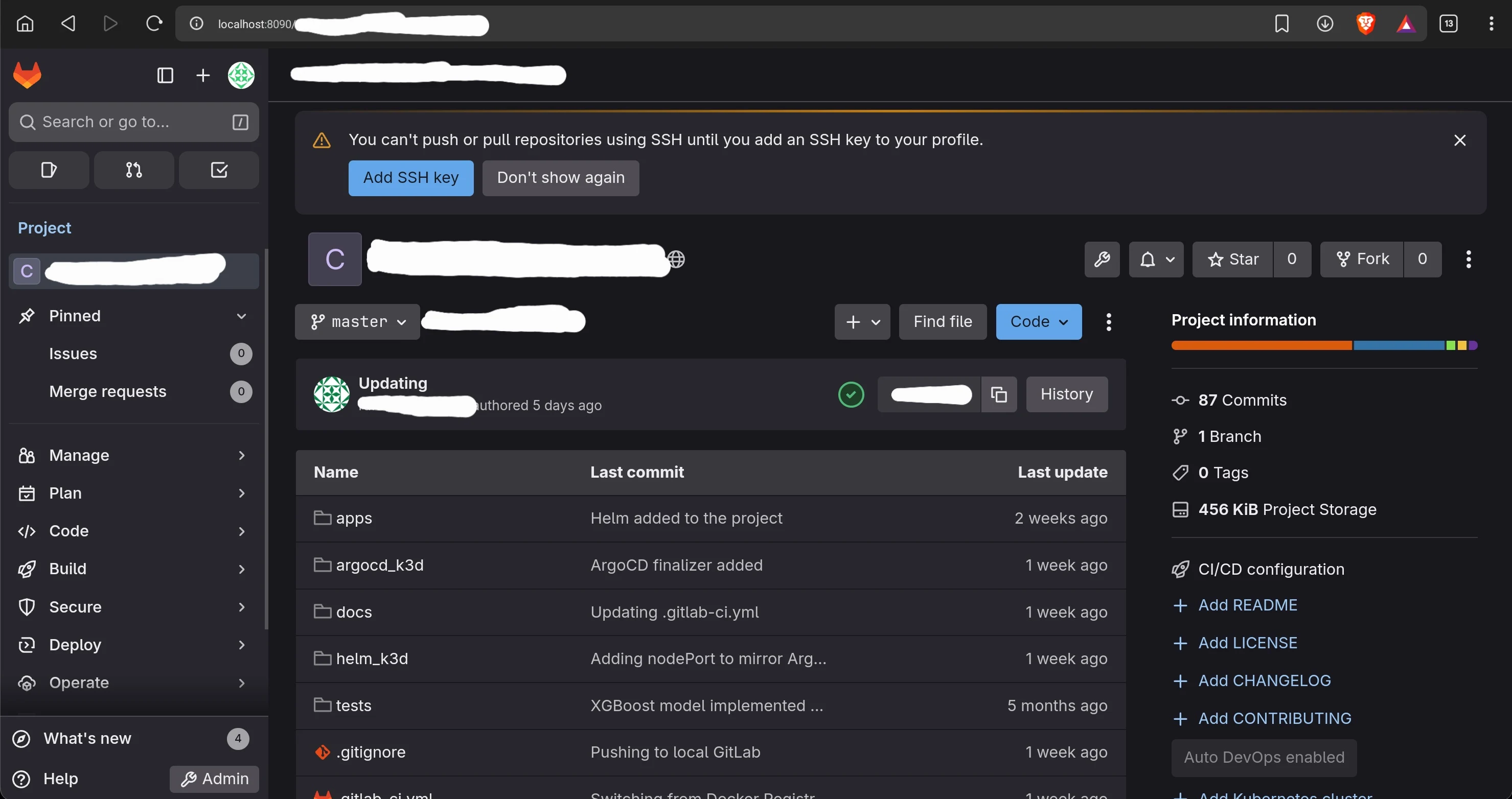
The cluster running with all services deployed — every layer of the diagram above, live on a single machine.
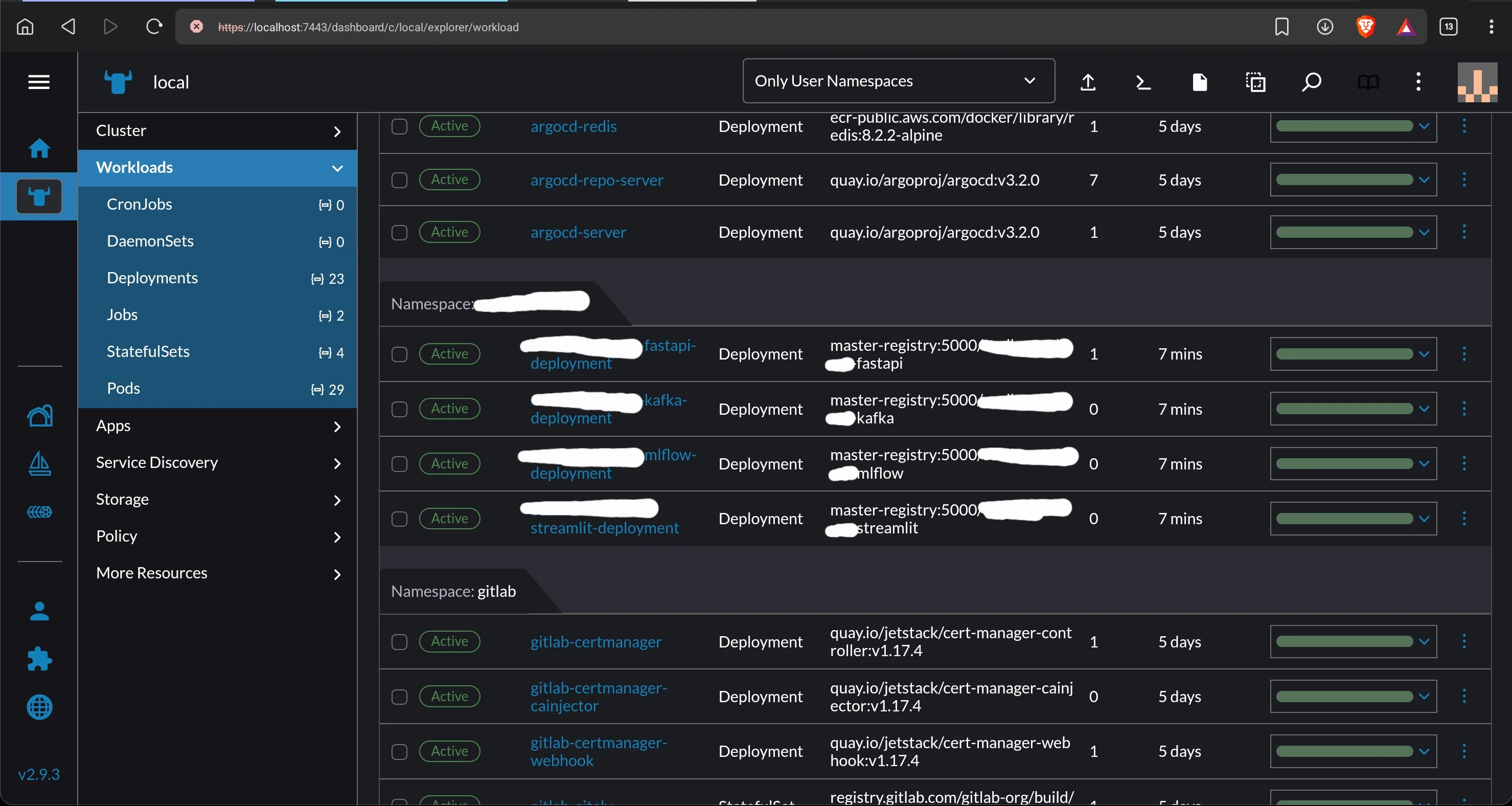
All services accessible at their local ports — Rancher, GitLab, ArgoCD, LocalStack — the same loop that would run in production, on a single laptop.
The main purpose: a complete local CI/CD flow connecting GitLab CI with ArgoCD, with
Kubernetes resource health monitored live in Rancher — and all of it disposable in
one terraform destroy.